Input
Read video files, camera indexes such as 0, timestamps, durations, and loops.
Python package · OpenCV · NumPy · ANSI terminals
ascii-motion turns video files and camera streams into real-time ASCII animation.
It captures frames with OpenCV, processes whole matrices with NumPy, and renders with
ANSI sequences that avoid clearing the screen on every frame.
pipx install ascii-motion
ascii-motion video.mp4 --width 120 --color 256
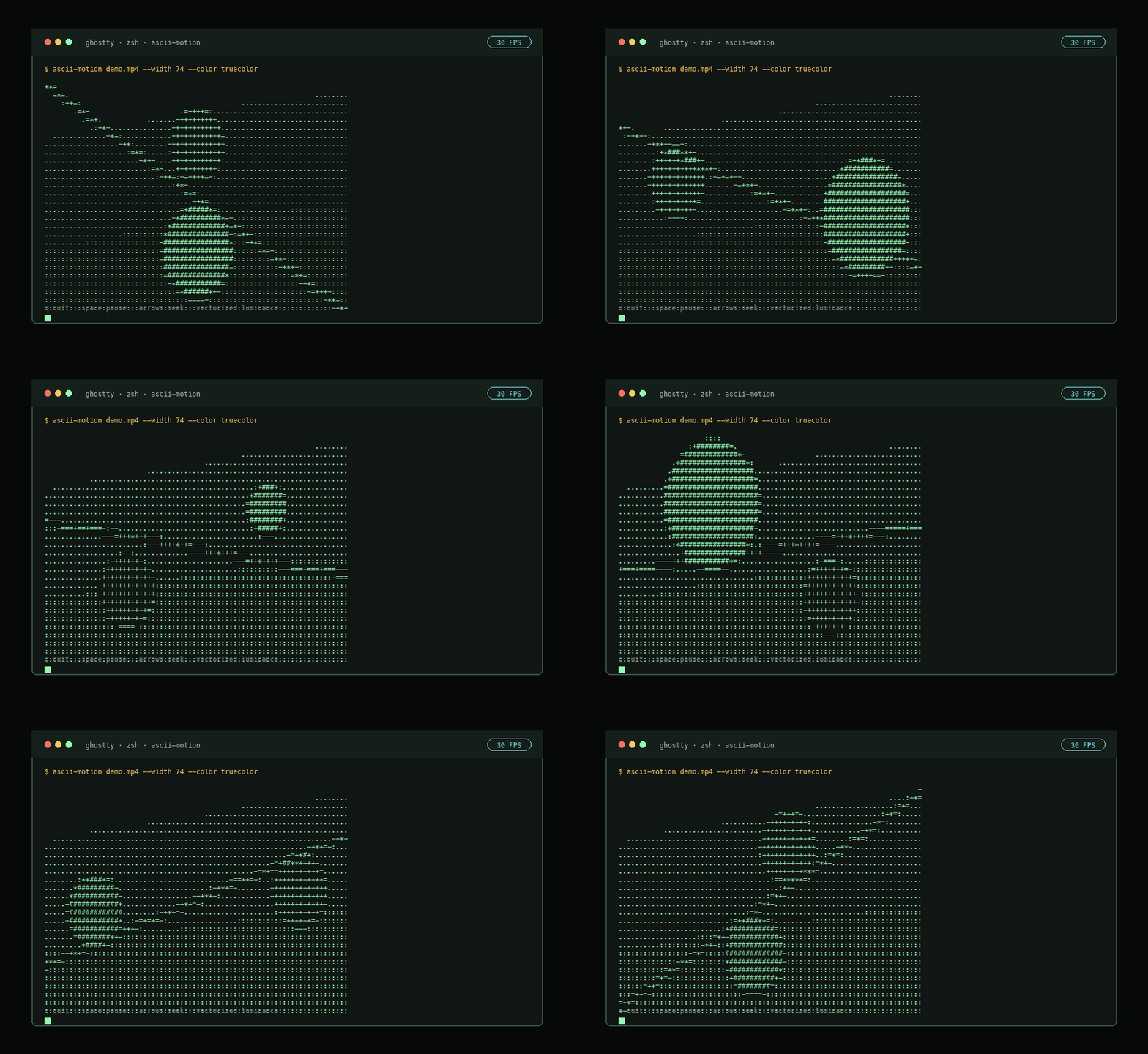
Demo generated from the same processing path used by the CLI. Open GIF fallback.
Package overview
The package is built for developers who want visual playback, snapshots, exports, and repeatable demos without a GUI, audio layer, or browser canvas. Output is text written to stdout or files.
Read video files, camera indexes such as 0, timestamps, durations, and loops.
Resize, luminance, Sobel edges, hybrid mode, ordered dithering, and character LUTs.
Interactive playback, one-frame snapshots, text animation, ANSI animation, or frame directories.
Installation
Use pipx for an isolated CLI install, pip for Python environments, Homebrew on
macOS, or editable mode when developing locally.
pipx install ascii-motion
Best for normal CLI usage because dependencies stay isolated from project environments.
pip install ascii-motion
Use inside a virtual environment or any Python environment where OpenCV is acceptable.
brew install c4rl0s04/ascii-motion/ascii-motion
macOS-friendly install path for users who prefer Homebrew-managed tools.
pip install -e ".[dev]"
python -m ascii_motion video.mp4
Editable install includes tests, linting, package build tools, and demo generation support.
Backend architecture
The codebase separates video I/O, frame processing, timing, keyboard controls, and terminal output. That keeps the CLI understandable and leaves room for future processor backends.
OpenCV provides BGR arrays. FrameProcessor resizes frames, applies Rec. 709
luminance (0.2126R + 0.7152G + 0.0722B), optionally emphasizes edges, applies
ordered dithering, then maps the matrix to an ASCII lookup table.
TerminalRenderer writes one frame payload at a time. It moves the cursor home
with ANSI, clears line suffixes to remove stale text, hides the cursor during
playback, and restores terminal state in finally paths.
FrameClock targets accumulated frame deadlines to avoid drift. Keyboard controls
handle quit, pause, seek, and help toggles without introducing a GUI or curses
dependency.
Command reference
Each block shows what to type and what to expect. Commands are copyable and designed
to work from a normal shell once ascii-motion is installed.
Choose file/webcam input, target width/height, or fit the current terminal.
ascii-motion video.mp4ascii-motion video.mp4 --width 120ascii-motion video.mp4 --height 40ascii-motion video.mp4 --fit-terminalascii-motion 0 --width 100Result: live ASCII output sized for the terminal, with character aspect correction.
Control FPS, start point, duration, loop behavior, and frame skipping.
ascii-motion video.mp4 --fps 60ascii-motion video.mp4 --start 10 --duration 5ascii-motion video.mp4 --loopascii-motion video.mp4 --real-timeascii-motion video.mp4 --no-frame-skipResult: playback stays close to source duration by default, or renders every frame with --no-frame-skip.
Customize quit, pause, seek, help, and seek distance for interactive playback.
ascii-motion video.mp4 --quit-key xascii-motion video.mp4 --pause-key pascii-motion video.mp4 --backward-key j --forward-key kascii-motion video.mp4 --help-key !ascii-motion video.mp4 --seek-seconds 10Result: q, space, arrow keys, h/l, and ? can be remapped for the terminal you use.
Control HUD, progress, controls overlay, alternate screen, and performance reporting.
ascii-motion video.mp4 --no-hudascii-motion video.mp4 --no-progressascii-motion video.mp4 --show-controlsascii-motion video.mp4 --no-alt-screenascii-motion video.mp4 --benchmarkResult: playback can be clean, inspectable, or benchmarked depending on the terminal workflow.
Switch between luminance, edge, hybrid, dithered, inverted, dense, block, or custom ramps.
ascii-motion video.mp4 --charset denseascii-motion video.mp4 --charset blocksascii-motion video.mp4 --charset custom --chars " .oO@"ascii-motion video.mp4 --invertascii-motion video.mp4 --mode edgesascii-motion video.mp4 --mode hybrid --dither orderedascii-motion --list-charsetsResult: output can emphasize tones, contours, or high-density terminal detail.
Choose plain text for speed or richer ANSI color for live playback and exports.
ascii-motion video.mp4 --color noneascii-motion video.mp4 --color truecolorascii-motion video.mp4 --color 256ascii-motion video.mp4 --color grayscaleResult: none is fastest, 256 is a practical color mode, and truecolor is richest.
Use non-interactive modes for docs, snapshots, terminal recordings, and file workflows.
ascii-motion video.mp4 --previewascii-motion video.mp4 --frame-at 5 --width 100 > frame.txtascii-motion video.mp4 --export output.txt --duration 5ascii-motion video.mp4 --export-ansi output.ans --color 256ascii-motion video.mp4 --export-frames frames --start 2 --duration 4Result: export modes skip alternate screen and keyboard control, producing stdout or file output.
Inspect installed version or print the built-in CLI help.
ascii-motion --versionascii-motion --helpResult: confirm the installed release and discover all available flags.
Video demo
The video shows a generated demo source moving through the same ASCII processor used by playback. It is intentionally local-first: no hosted player, no tracking script, no external runtime.
ascii-motion demo.mp4 --width 74 --color truecolor
Compatibility
The Python pipeline is vectorized, but terminals still need to draw the resulting text. Wider output and truecolor sequences increase stdout volume.